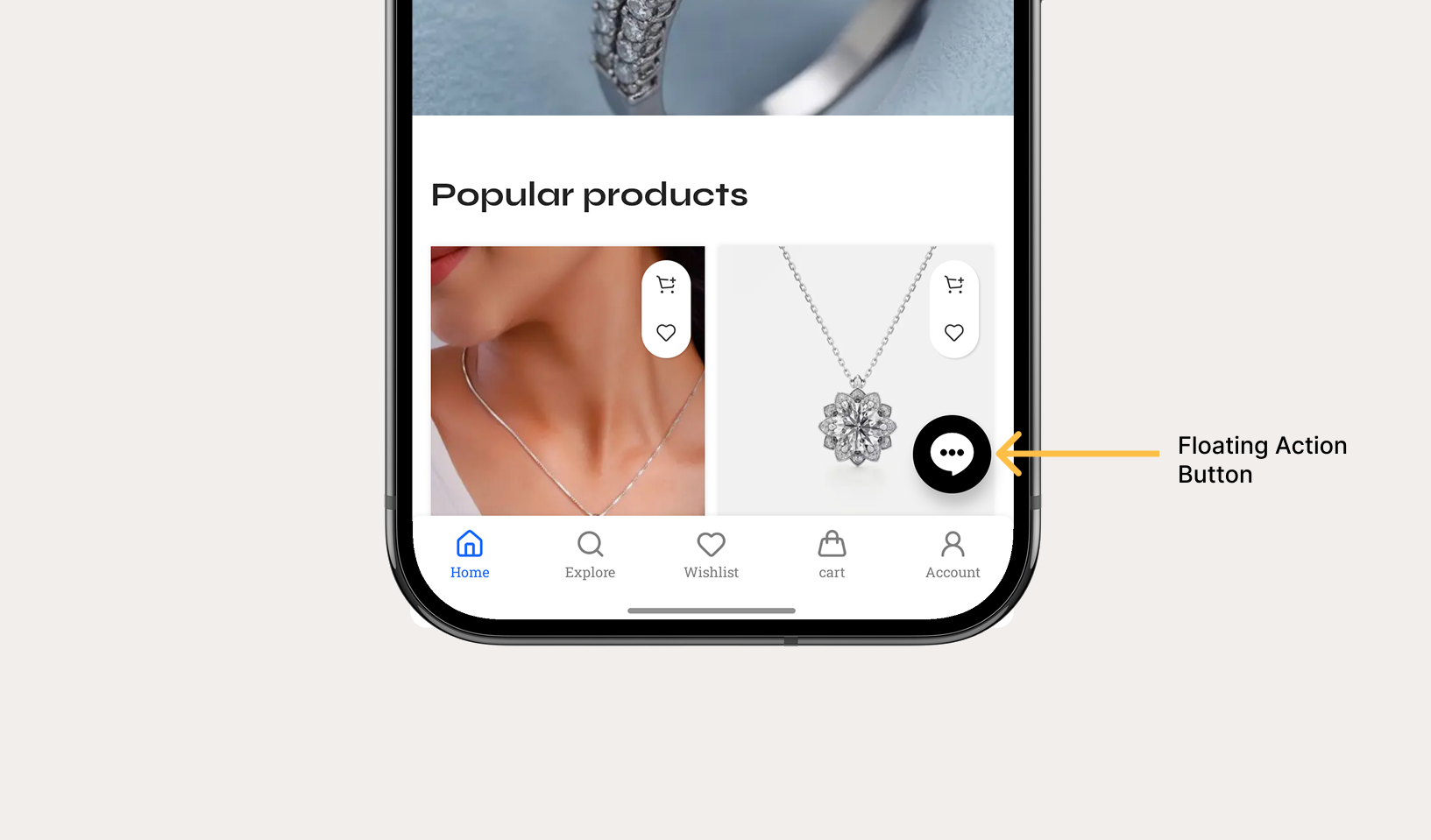
Add a prominent, floating action button (FAB) to your mobile application. Nativine renders native floating buttons pinned over your web view with custom HSL brand colors, icons, and click actions.
1. Overview & Action Triggers
Floating Action Buttons provide quick access to key user actions (e.g. WhatsApp support chat, shopping cart shortcut, call button, or quick search):
- Grid Positioning: Pin the button to 9 grid positions (bottom-right, bottom-center, bottom-left, top-right, etc.).
- Action Triggers:
- Navigate URL: Opens a web page inside your app.
- External Browser: Opens an external browser window.
- Phone Call (Tel): Launches physical phone dialer with pre-filled number.
- WhatsApp Chat: Opens direct WhatsApp chat.
- Share Sheet: Triggers native mobile share dialogue.
- JavaScript Execution: Runs a custom JS function on the current web page.
2. No-Code App Builder Setup Guide
⚡ Nativine Builder Feature: Floating Action Button (FAB) is integrated directly into the Nativine native app engine. Configure options natively in the App Builder under Add-ons & Plugins > Native UI.
Nativine App Builder Configuration
- Open the Nativine App Builder at /web-to-app-converter-pro.
- Click Add-ons & Plugins in the left builder menu and locate Floating Action Button (FAB).
- Toggle Floating Action Button (FAB) to ON (or click Enable), then click Config.
- Configure your required settings, permissions descriptors, or target web parameters.
- Click Save Config and navigate to the Builds tab to compile your mobile application.
3. Frequently Asked Questions (Q&A)
Does the Floating Action Button hide when scrolling down?
You can enable "Hide on Scroll Down" in the FAB configurator to automatically collapse the button when the user scrolls through long web pages.
Can I launch a WhatsApp chat directly from the FAB button?
Yes. Set Action Type to "WhatsApp Chat" and enter your international phone number (e.g. +1234567890). Tapping the FAB launches WhatsApp natively.